


Lumibadge™ Bluetooth LED Badge: Smart Name Tag & Video loop Display
Lumibadge™ Bluetooth LED Badge: Smart Name Tag & Video loop Display
Couldn't load pickup availability
Elevate your presence at corporate events, schools, and parties with the Lumibadge™ Bluetooth LED Name Tag, a fully programmable display designed for instant visibility. Featuring an easy-to-use mobile app, Lumibadge™ allows you to upload scrolling text, logos, GIF and exclusive 3-second video loops directly from your smartphone.
Share


Collapsible content
Description
The Ultimate Smart Digital Badge – Customizable Video, GIF & Image Display
Wear Your Vibe. Promote Your Brand. Stand Out Instantly.
✨ Why You’ll Love It:
* 🎬 Play Videos: Bring your badge to life! Upload any custom video loop (up to 3 seconds) directly from your phone.
* 👾 GIF Support: Express yourself with your favorite animated GIFs.
* 🔄 Scrolling Visuals: Create dynamic scrolling images or text messages to share announcements, names, or slogans.
* 📱 100% App-Controlled: No wires, no computer drivers, no hassle. Everything is controlled wirelessly via our free, easy-to-use smartphone app (iOS & Android). Change your display in seconds via Bluetooth!
💼 Perfect For:
* Business & Networking: Display your Name, Title, and a scannable QR Code for your digital business card.
* Retail & Events: Flash promotions, "Ask Me Anything" prompts, or daily specials.
* Personal Style: Match your outfit with custom aesthetics, memes, or mood animations.
⚙️ Technical Specifications:
* Display: Stunning 1.85-inch Circular Screen with Curved HD Glass.
* Resolution: Crystal clear visuals for text and video.
* Battery Life: Powerful rechargeable Li-Ion battery lasting up to 8 hours on a single charge.
* Charging: Fast and universal USB-C charging (cable included).
* Dimensions:
* Diameter: 56.5mm
* Thickness: 11mm
* Weight: Ultra-lightweight at approx. 30g.
* Wearability: Comes equipped with a secure safety pin and lanyard attachment point, so you can wear it on your shirt, jacket, or around your neck.
📦 What’s in the Box:
1 x Smart Digital Badge
1 x USB-C Charging Cable
1 x Pin and Lanyard
Ready to turn heads? Upload and Shine with the Lumibadge!
Shipping
We offer fast next day shipping!
🇬🇧 United Kingdom
* Standard Delivery: £3.99
* Free Delivery: Enjoy FREE shipping on all orders of £50.00 and up.
🇪🇺 European Union
* Express International: £9.95
* Delivery Time: 2 to 7 business days
🌎 International
* Express International: £14.95
* Delivery Time: 2 to 11 business days
User Guide
Follow these simple steps to connect, customize, and wear.
1. Powering On & Charging
* Turn On: Press and hold the Power Button (top button) for 4 seconds until the logo appears.
* Turn Off: Press and hold the Power Button for 2 seconds.
* Charging: Use the included USB-C cable.
* Note: If the device is frozen, hold the power button for 10 seconds to force a restart.
2. Download the App
To control your badge, you need the companion app.
1. Turn on your badge.
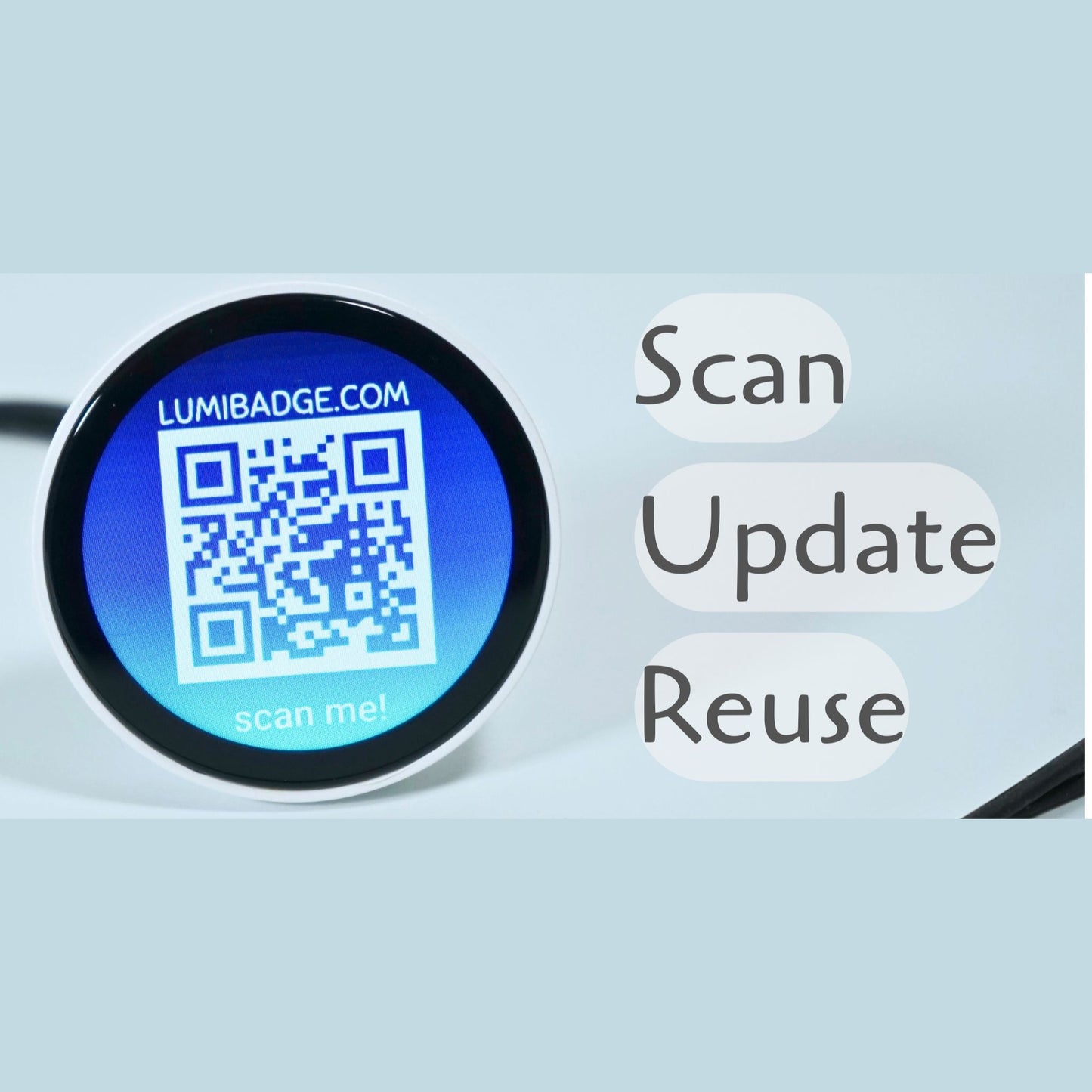
2. Tap the Bluetooth Icon on the badge screen to display a QR Code.
3. Scan the QR code with your phone camera to download the correct App for iOS or Android.
4. Open the App and allow Bluetooth and Photo Gallery permissions (required to sync images).
3. Connecting the Badge
1. Make sure your phone's Bluetooth is ON.
2. Open the App and navigate to the "My" or "Settings" tab at the bottom right.
3. Tap "Device Connection".
4. Select your badge from the list to pair.
4. How to Upload Content
Once connected, go to the "Creation" or "Home" tab in the app to start designing.
* 🖼️ Single Images: Select "Single Image Display." Take a photo or choose one from your gallery. You can add text stickers or borders. Click Upload to sync.
* 🎞️ GIFs & Video: Select "GIF." Choose a GIF or upload a short video (up to 3 seconds). The app will process it and sync it to the badge.
* 📝 Scrolling Text: Select "Text." Type your message (e.g., your name, "50% Off," etc.), choose colors and background, and hit Upload.
* 🎠 Slideshows: Select "Multiple Image Slideshow" to upload a series of images that cycle automatically.
5. Controlling the Badge (Without the App)
You can adjust settings directly on the badge using the touchscreen and buttons.
Touch Gestures:
* Swipe Left/Right: Switch between your uploaded images/videos.
* Swipe Up/Down: Open the Settings Menu.
Menu Icons:
* 🌙 Moon Icon: Toggles "Sleep Mode."
* Active: Screen sleeps after 10 minutes of inactivity to save battery.
* Inactive: Screen stays "Always On."
* 🔦 Flashlight: Turns the screen bright white (tap once for light, swipe to exit).
* ☀️ Sun Icon: Tap to cycle through brightness levels.
* 🗑️ Trash Can: Delete the currently displayed image.
Physical Buttons:
* Top Button:
* Long Press: Power On/Off.
* Short Press: Increase Brightness.
* Bottom Button:
* Short Press: Decrease Brightness.
Specs
Technical Specifications:
Display & Visuals
* Screen Type: Full-Color Round LCD
* Screen Size: 1.85 inches
* Resolution: 360 x 360 pixels (HD Clarity)
* Supported Formats: Video (up to 3s), GIF, JPG, BMP, Scrolling Text
Battery & Power
* Battery Capacity: 450mAh Rechargeable Li-Ion
* Working Time: 8-16 Hours (continuous display)
* Standby Time: Up to 24 Hours
* Charging Time: Approx. 2 Hours
* Charging Port: USB Type-C (5V / 1A)
Connectivity & App
* Connection: Bluetooth 5.0 (Wireless)
* Compatibility: iOS (iPhone) and Android Smartphones
Dimensions & Build
* Diameter: 56.5 mm
* Thickness: 11 mm
* Net Weight: 29g (Ultra-lightweight)
* Materials: Durable ABS Plastic body, Tempered Glass screen cover, Silicone strap/attachment
* Attachment Style: Safety Pin / Lanyard Loop
📦 What’s in the Box:
1 x Smart Digital Badge
1 x USB-C Charging Cable
1 x Pin and Lanyard